Personal and rental purchases on the same receipt.
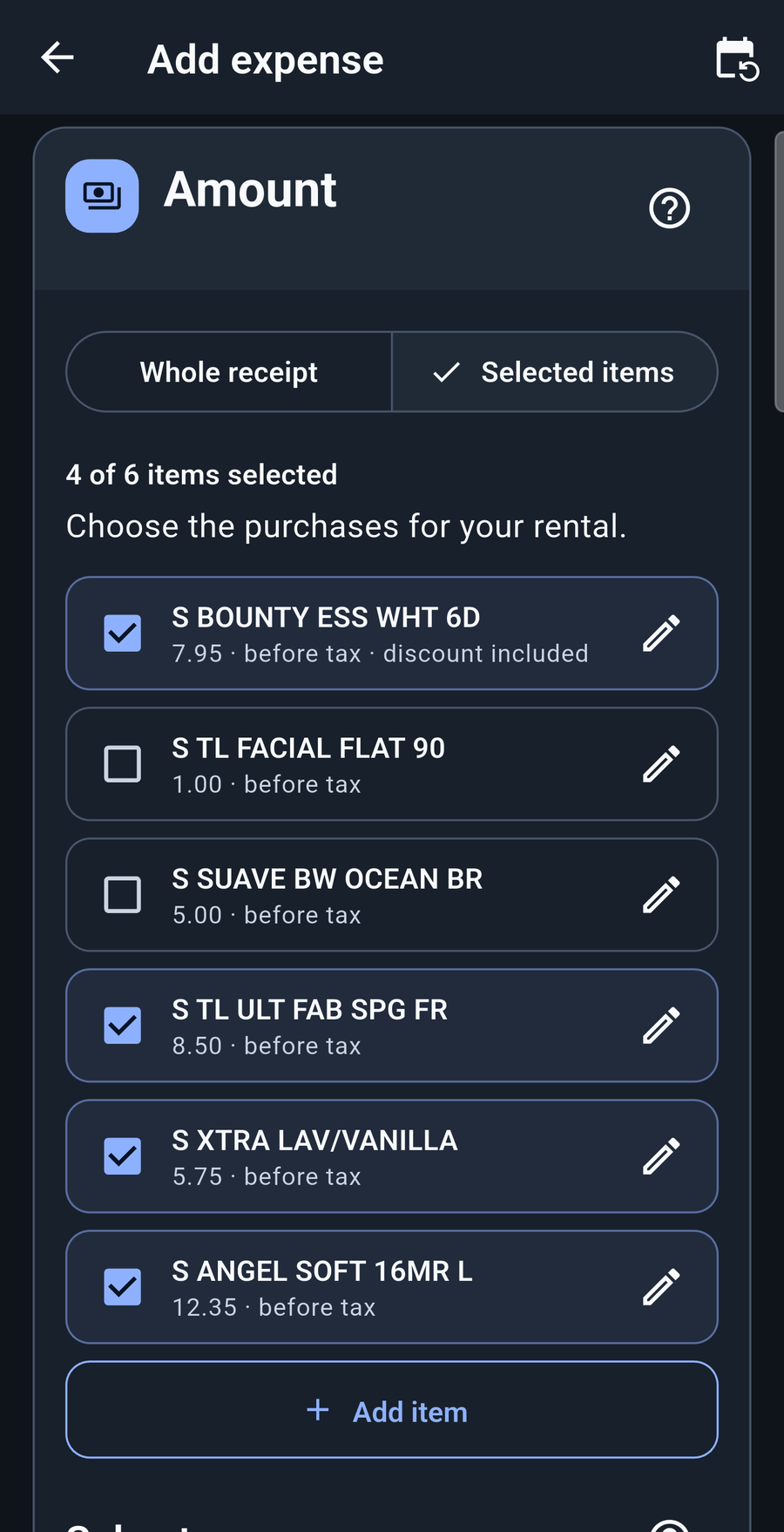
Let StayTally read the items. Check the result and select the rental purchases. Only those items go into the rental expense, with options for their share of sales tax.
See receipt splittingAvailable now for iPhone & iPad United States
Bring income, expenses, shared property costs, and documents together. See how your rentals are doing throughout the year—and give your accountant an organized starting point when tax season arrives.
$39.99 USD · No subscription required.
No account required. Your records stay on your device.
Available now for iPhone and iPad. Find Android on Google Play. All downloads →

From a spare room to several properties, keep the money, the rental share, and the supporting detail connected.
Import supported Airbnb files or enter direct bookings. Keep earnings, fees, payouts, and stay dates clear.
Follow the income → 02 / EVERYDAY COSTSRead receipts, review due recurring costs, and track what you paid personally and need reimbursed.
Stay on top of costs → 03 / YOUR REAL SETUPSeparate personal and rental use. Split supported shared costs without multiplying the original bill.
Make the split clear → 04 / THE BIGGER PICTUREMove from a property to your portfolio. Compare periods, rank rentals, and follow the records behind a total.
Understand your results → 05 / YEAR-END CHECKSReview mortgage interest, tax, insurance, and annual earnings statements with estimates and missing information visible.
Bring the year together → 06 / THE ACCOUNTANT HANDOFFPrepare a browsable report, Excel workbook, review notes, and selected documents for your accountant.
Explore the finished bundle →One receipt can cover two parts of your life. One bill can cover two rentals. Your records should make those differences clear.
Let StayTally read the items. Check the result and select the rental purchases. Only those items go into the rental expense, with options for their share of sales tax.
See receipt splittingCompare the details. You decide what stays.
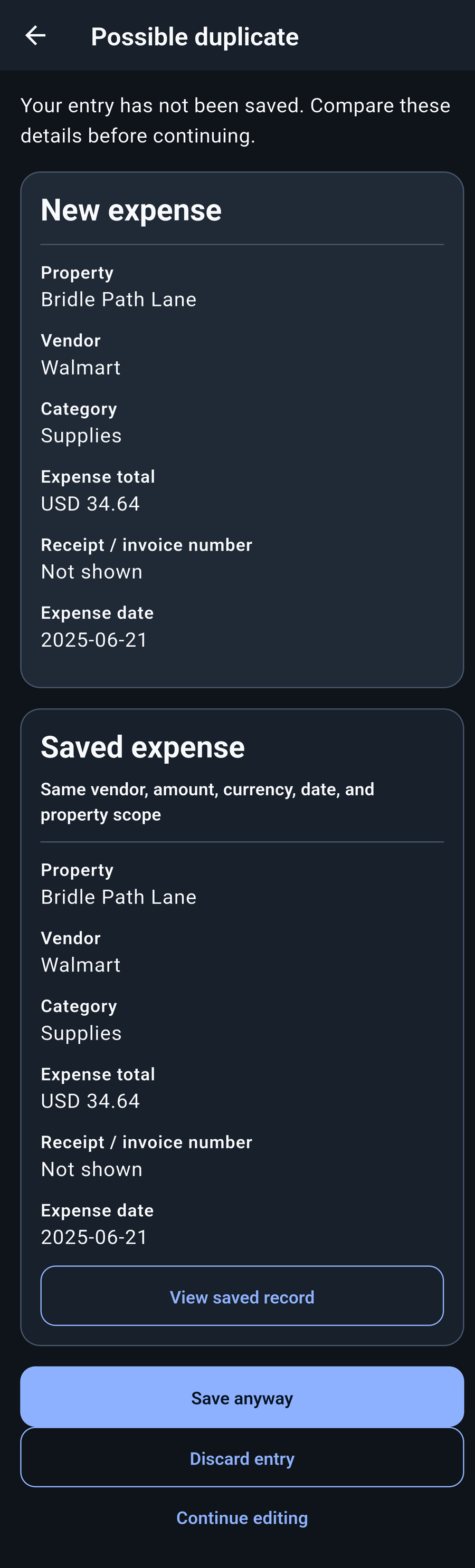
See a possible duplicate alongside the saved record before saving. Discard the pending entry if it’s a repeat, or keep it when it’s a separate expense. Nothing is automatically deleted.
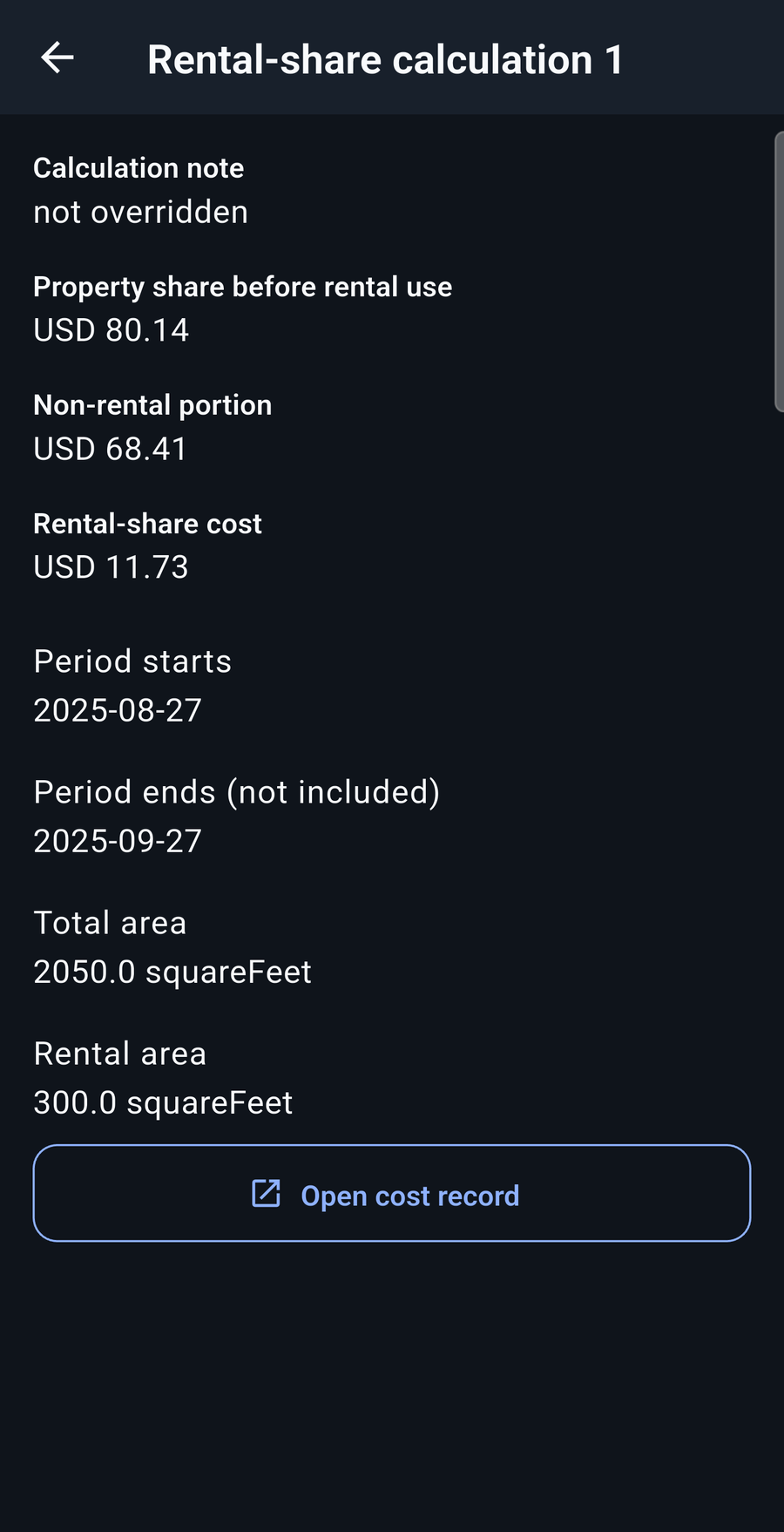
Explore the comparisonConnect listings to the spaces they use and split a building cost between them. The original $1,000 stays one source expense; the $600 and $400 shares explain where it belongs.
Illustrative area-only split for two rentals with no personal space. Your saved setup determines the actual shares.
Follow the shared costsSaved costs keep their recorded shares.
Choose when an area or shared-building change takes effect. Earlier settings remain available, and saved costs keep their recorded calculations. Correcting an earlier allocation is a separate choice you review and confirm.
See how changes are handledReal screens from the Android development app, including test data. Select a screenshot to take a closer look, or follow the link below it to explore the feature. Watch eight captioned how-to videos for step-by-step demonstrations.
ENLARGE Compare the pending expense with the saved record and choose what happens next.
Explore this feature
ENLARGE Select the rental items from a mixed receipt and review the calculated expense.
Explore this feature
ENLARGE Check the saved areas, period, and rental amount behind a supported shared cost.
Explore this feature
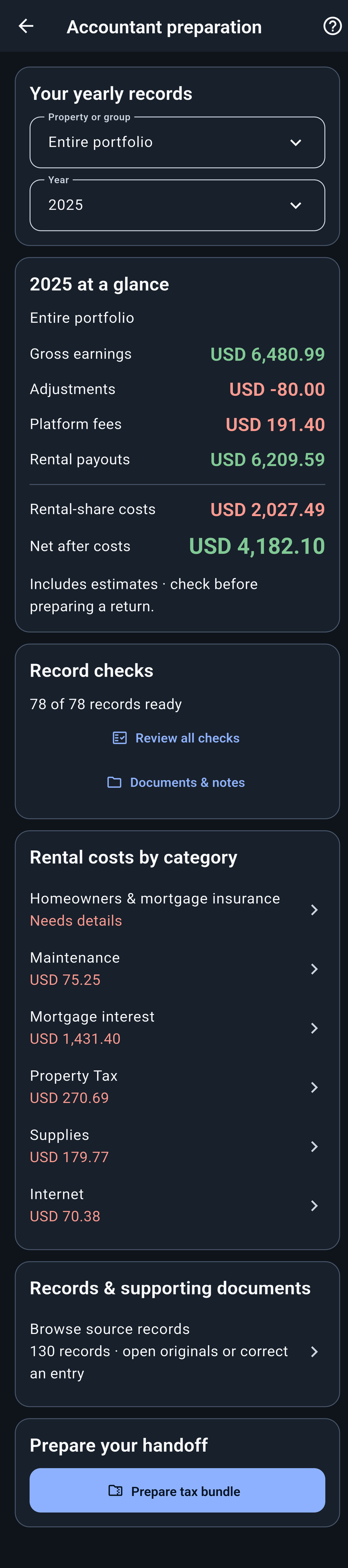
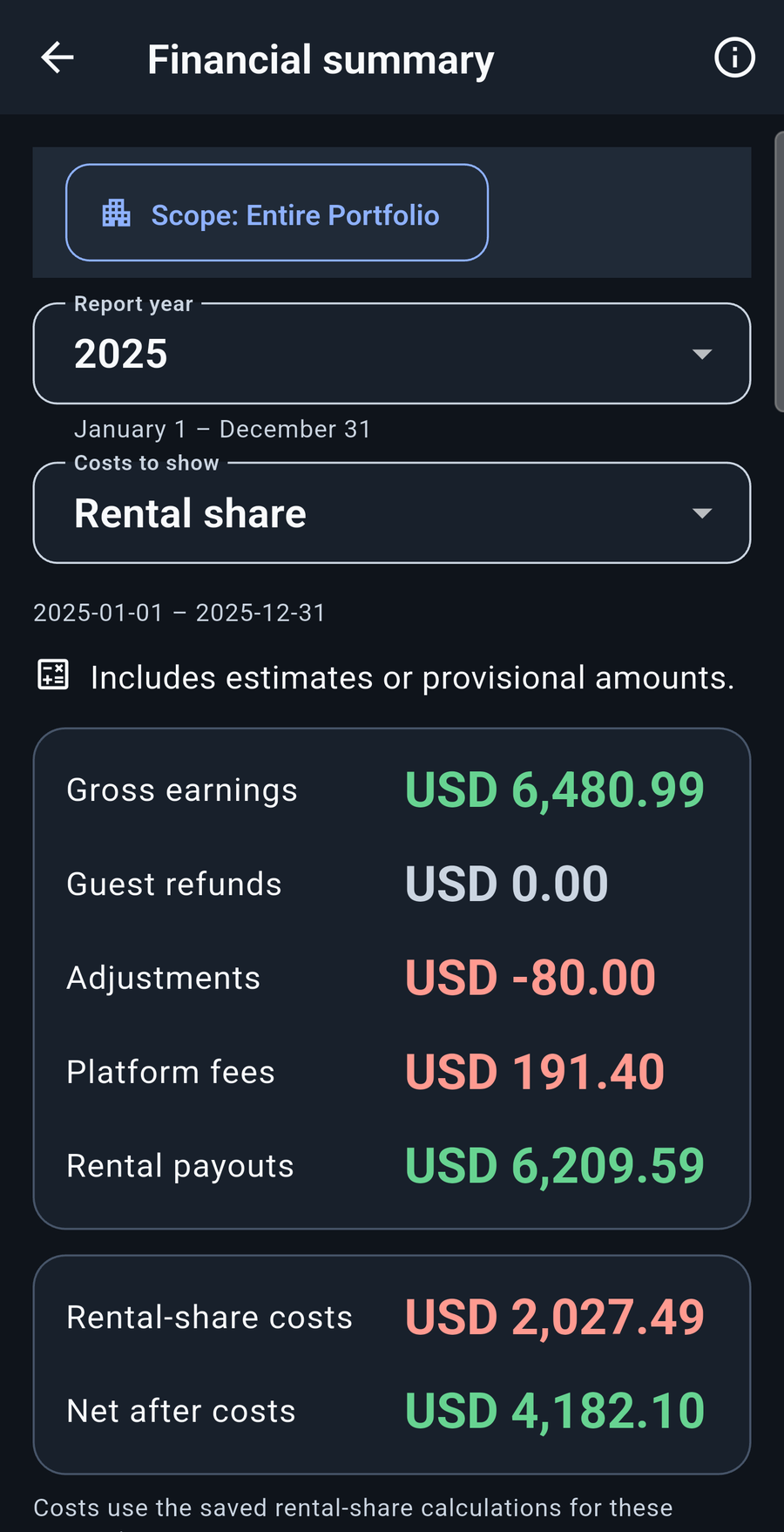
ENLARGE Review totals, record checks, and supporting detail before preparing a tax bundle.
Explore this featureDocument reading can make mistakes. Review extracted items and amounts before saving. The app prepares records for tax review; it does not file taxes or decide deductibility.
When tax season arrives, the income, costs, and documents you’ve kept throughout the year have somewhere to go.
Prepare a browsable accountant report and an Excel workbook, with supporting records, Schedule E line references, and items that still need review clearly marked.
Explore a real accountant reportYour accountant confirms the tax treatment. StayTally helps bring the records together.

Build a custom dashboard and switch quickly between a property, a property group, or all your rentals. Compare income, costs, and booking activity across the periods that matter to you.
Look at 2025 versus 2026, March 2024 versus March 2026, or rank properties for a chosen period. Explore different measures to see what is behind the totals.
Explore dashboards, comparisons & rankings ↗Your saved records and documents live on your device. Document reading and optional improvement sharing are separate steps.
Your rental database, saved records, and original documents remain on the device. You choose when to make a backup or export.
Choosing a file does not upload it. Select “Send & read document” to approve sending a processing copy over HTTPS to StayTally’s server. Select “Not now” to enter details yourself. Ordinary processing copies are discarded after reading; review the suggested details before saving.
Corrected or unreadable document examples are shared for improvement only with your permission and kept for no more than 30 days. Manage or request early deletion of your shared copies in the app.
The free Windows Beta is ready to explore; Mac Beta is coming soon. Personal records and device sync need a compatible phone update.
Explore StayTally Desktop HOW-TO GUIDESEight captioned videos cover setup, Airbnb imports, document review, costs, reimbursements, the dashboard, and backup and restore.
Explore the guides