Some rental, some personal
Enter the rental area and total dwelling area. Use the saved percentage to split supported utilities, mortgage interest, insurance, and other shared costs.
From a mixed receipt to a clearer accountant handoff. Keep the details together, understand your rental costs, and spend less time gathering it all again.
Real screens from the Android development build, including test data. Select a screenshot to enlarge it. The interface may change before release.
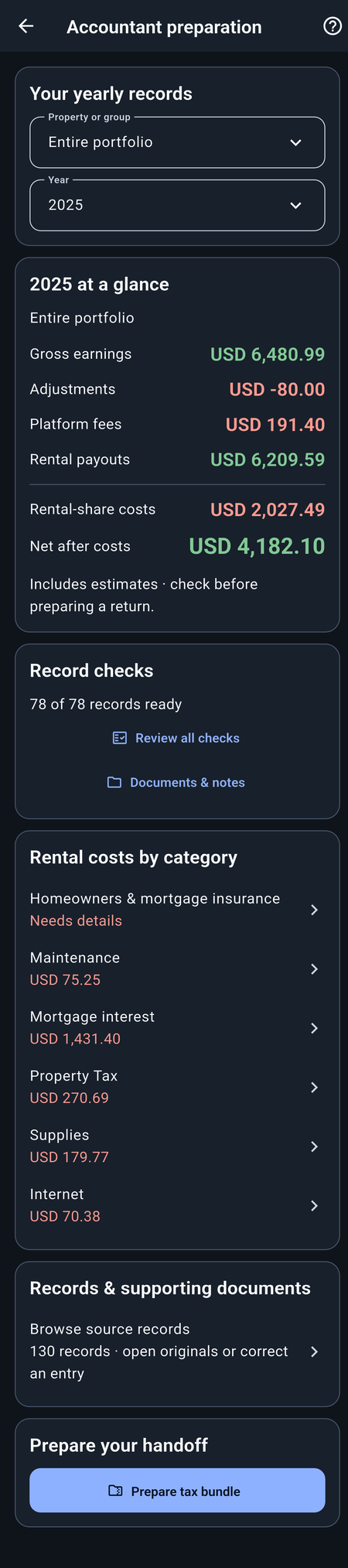
Bring the year’s income, expenses, property costs, and selected documents into one organized tax bundle. Your accountant can browse the report or open its Excel workbook, with the supporting detail close at hand.
See how your prepared amounts line up with Schedule E. The preparation table identifies the relevant form lines, the recorded amounts that feed them, and notes about anything that still needs review. It gives you and your accountant a clearer starting point than a folder of receipts and a stack of spreadsheets.
Missing information and provisional amounts stay visibly marked. An unknown amount is not quietly turned into zero.
StayTally prepares information; it does not file taxes or determine the final tax treatment of your rental. You or your accountant confirm the appropriate form, deductions, personal-use treatment, and other adjustments.
The current preparation table references 2025 Schedule E, Part I. Confirm the form and rules for the tax year you are filing. Some amounts, such as depreciation, still require separate accountant calculations. See the IRS Schedule E instructions.
Step inside an example report exported by StayTally. Browse the year’s figures, follow the Schedule E references, and open individual records to see the detail behind a total.
Explore the example reportOpens right in your browser. No account or download needed.
A year of records, ready to explore.
Includes estimates and items marked for review.
A real development export with owner-provided figures, including test data. The property name is changed; original documents, the workbook, and raw audit files are omitted for privacy. Your own bundle can include the documents you choose and its spreadsheet workbook.
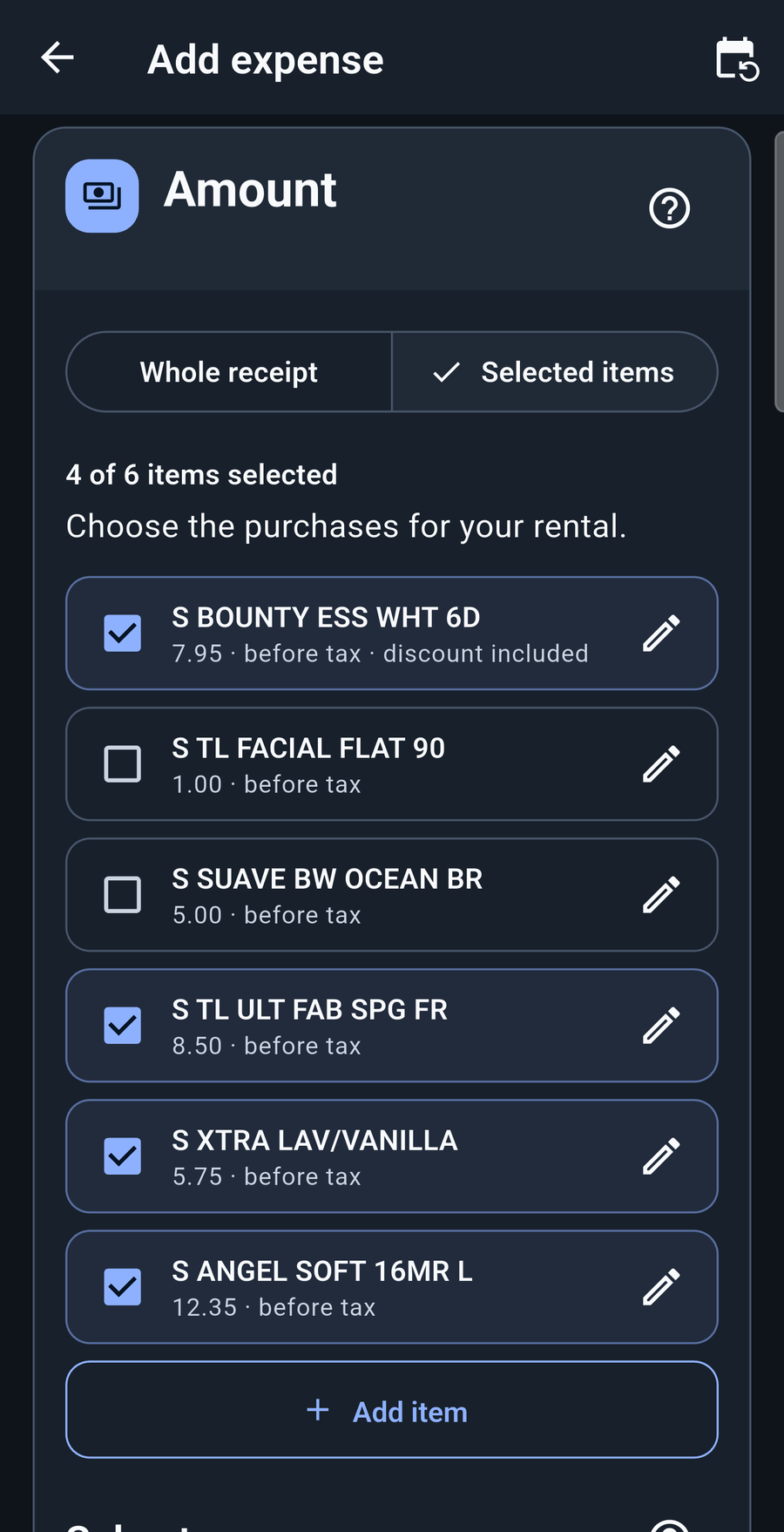
A receipt can contain things for your rental and things for you. StayTally helps read the item details so you have less to type. Check the results, select the items bought for the rental, and only those selected purchases feed into its expense amount.
Keep personal purchases out of rental totals without redoing the whole receipt by hand. Review discounts and calculate the selected items’ share of sales tax where the receipt supports it, or enter that tax amount yourself when it needs a closer look.
Document reading can make mistakes. You stay in control of the item selections and amounts before saving.
Choose how you use the space. StayTally uses saved floor areas, booked nights, or both to calculate the rental share of supported costs.
Enter the rental area and total dwelling area. Use the saved percentage to split supported utilities, mortgage interest, insurance, and other shared costs.
For a space that switches between guests and personal use, choose booked nights, floor area, or both where supported.
Keep costs that belong fully to the rental together. For an individual shared bill, choose the method that fits.
Connect listings to their physical spaces. Split shared costs by each space’s share of the dwelling, leave out personal areas, and link overlapping spaces to avoid counting them twice.
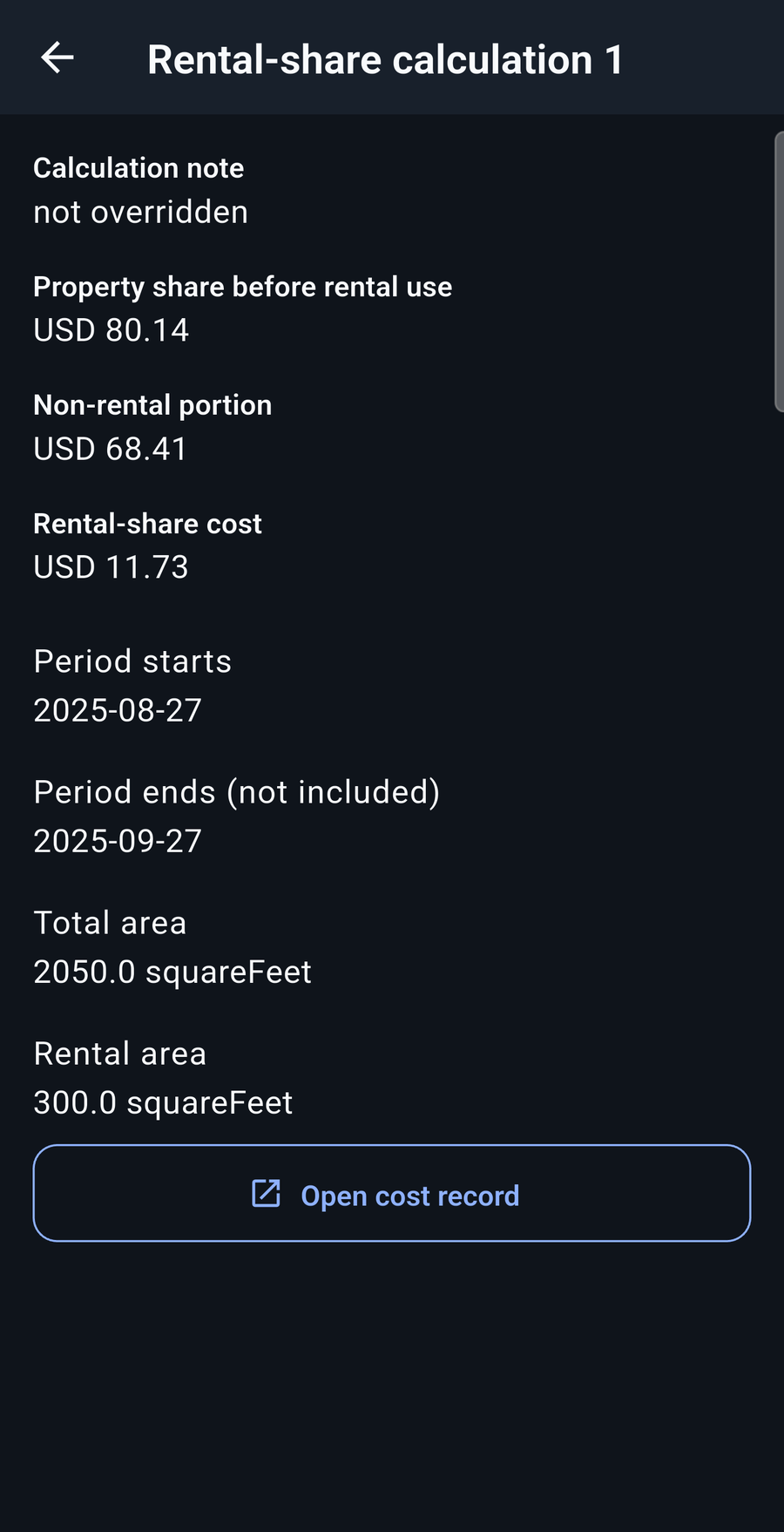
Open the supporting detail to see the saved period, floor areas, and rental and non-rental amounts. Follow it back to the original cost record when you want to check the source.
Keep the method and context close to the numbers you use.
Rental-share calculations organize your records using the information and methods you choose. They do not, by themselves, establish a tax deduction.
Back to feature menuStart with the files you already have, then check the details before they become saved records.
Bring supported Airbnb earnings and reservation CSV exports into StayTally. Review the imported income, fees, adjustments, and listing matches instead of entering each supported row by hand.
The current import profiles support U.S. English Airbnb exports. This is a file import, not a live connection to your Airbnb account.
Add a supported photo or PDF and let StayTally read the text and amounts. Review receipts and invoices, income and payout documents, utility bills, monthly mortgage statements, and yearly mortgage or interest documents such as Form 1098.
Supported workflows also cover property-tax and insurance statements and annual platform summaries. Keep the source document with your records and correct anything the reader missed.
Automatic document reading uses StayTally’s server and needs internet. Ordinary processing copies are discarded. Keeping a document example for improvement is a separate, optional choice. How document reading handles your information.
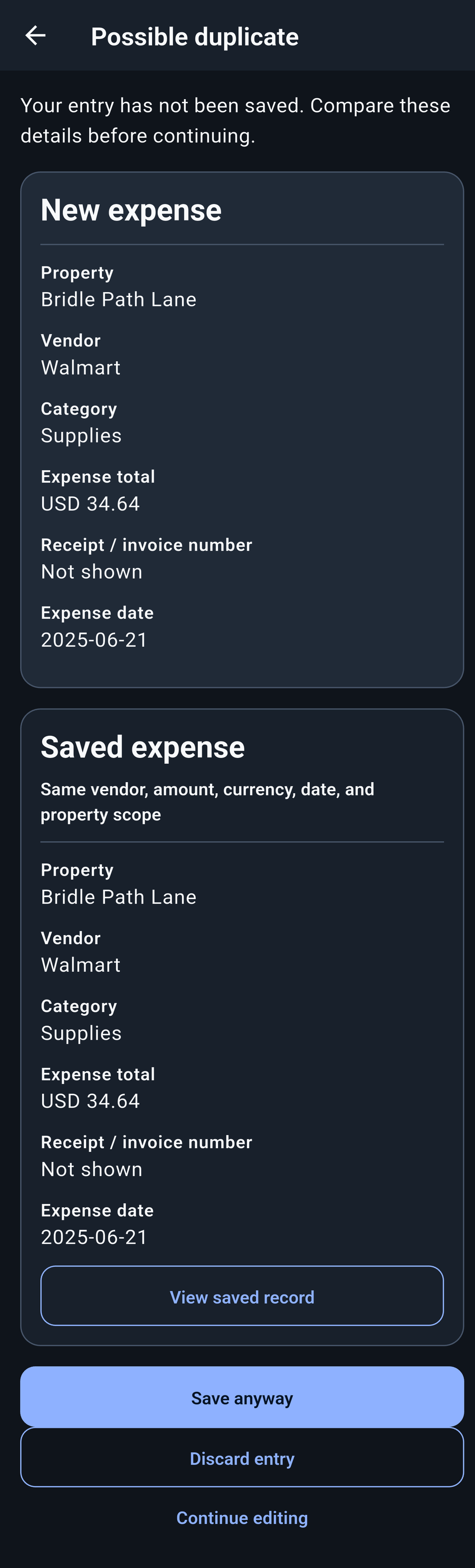
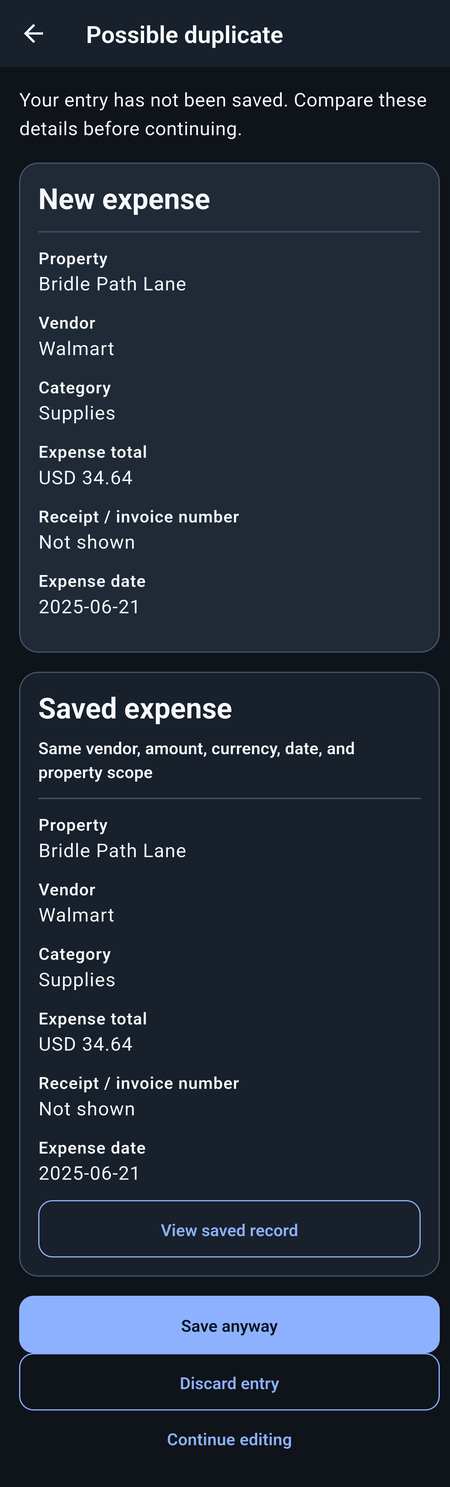
Back to feature menuStayTally compares supported imports, documents, and new entries with saved records to flag possible duplicates.
A receipt imported twice. A booking already entered by hand. Checks use document matches, references, dates, and amounts to spot overlaps.
Review the new entry and the saved record together. If it’s a duplicate, discard the pending entry. If it’s a separate expense, keep editing or save it.
Similar records can be legitimate, so possible matches are not automatically deleted. Checks depend on the details available and may not find every duplicate.
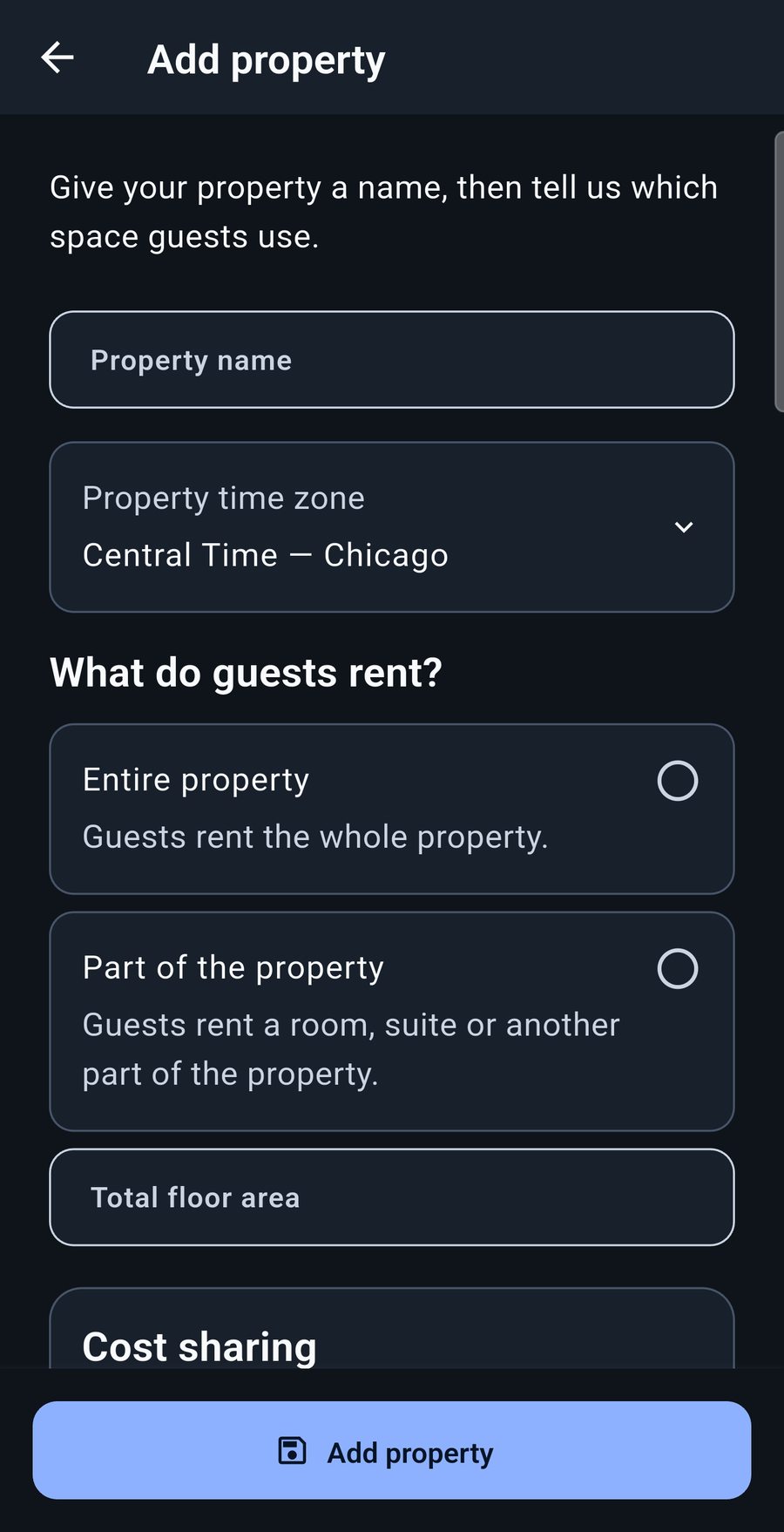
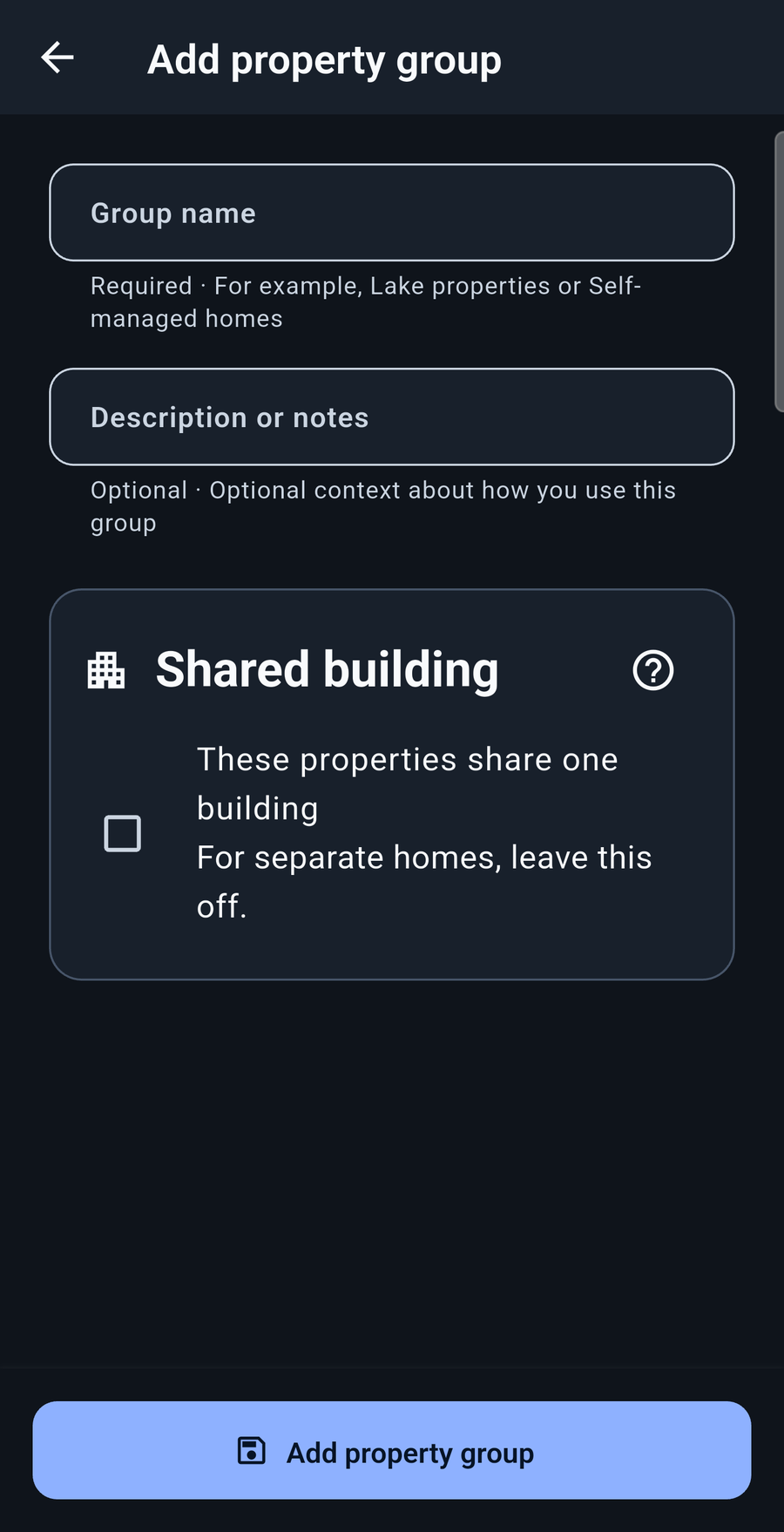
Switch between an individual rental, a property group, and your overall picture.
Create property groups and keep the details for each property and group organized. Set up the rental areas and shared-building information that fit your situation, then review related properties together without losing their individual records.
Tie multiple listings to one physical property or shared building. Keep the listings distinct while organizing the spaces and costs they share—even when a whole-home listing overlaps a room listing.
Look beyond a single total. Explore how your rentals change over time and how they compare with each other.
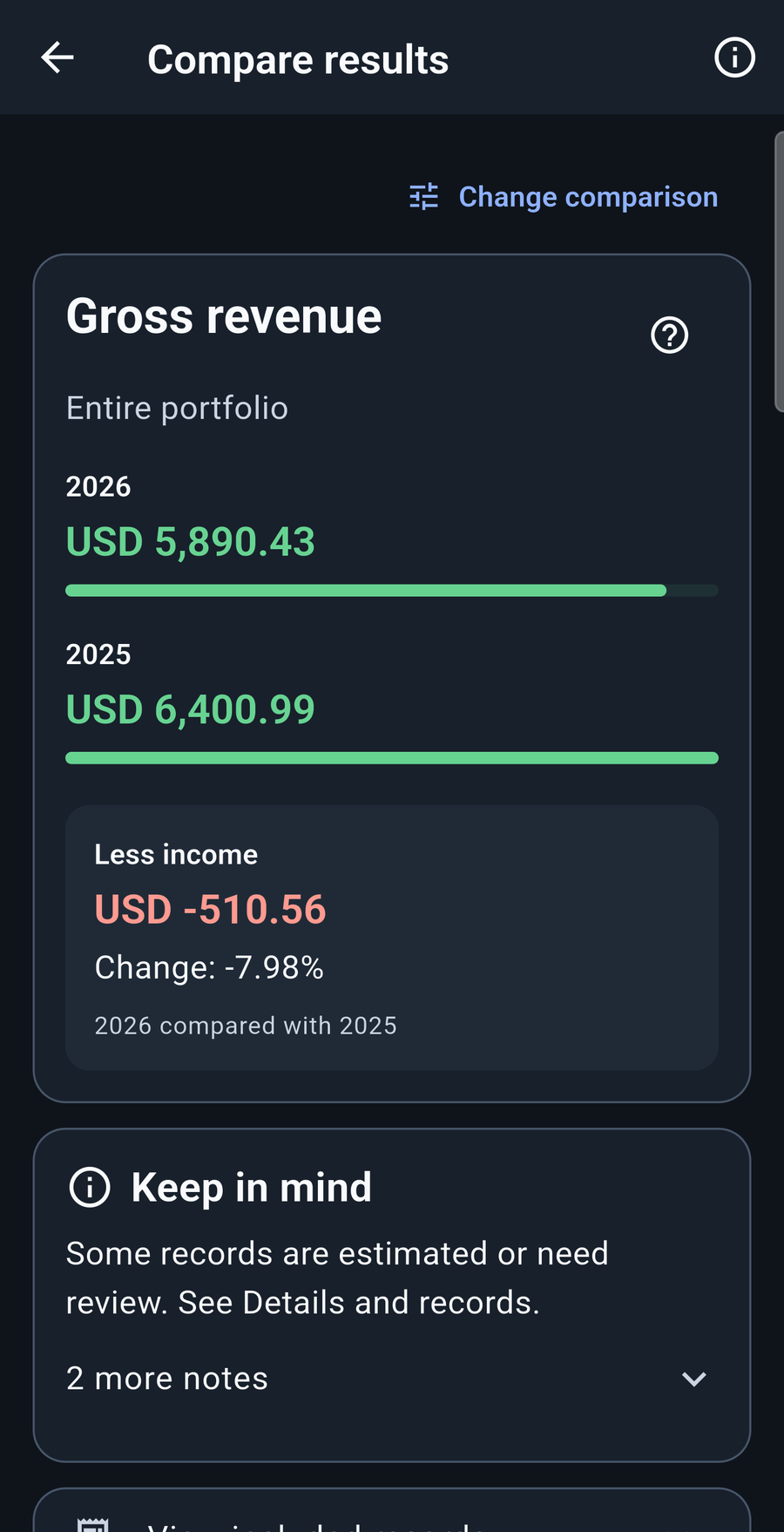
Compare yearly results for a property, a group, or your selected rentals.
Choose the months you want to compare, even when they are not consecutive.
Compare properties for a particular period, or use custom date ranges.
Explore different measures such as income, recorded costs, and booked nights. Change the measure to understand what is driving the difference, and review full costs or the rental share where supported.
Choose a period and a measure, then sort properties or property groups to see how they stack up. The rental with the most income may tell a different story when you look at its costs.
Comparisons use the records you have entered or imported. An unfinished year or missing records can change the picture; review the selected dates and completeness before drawing conclusions.
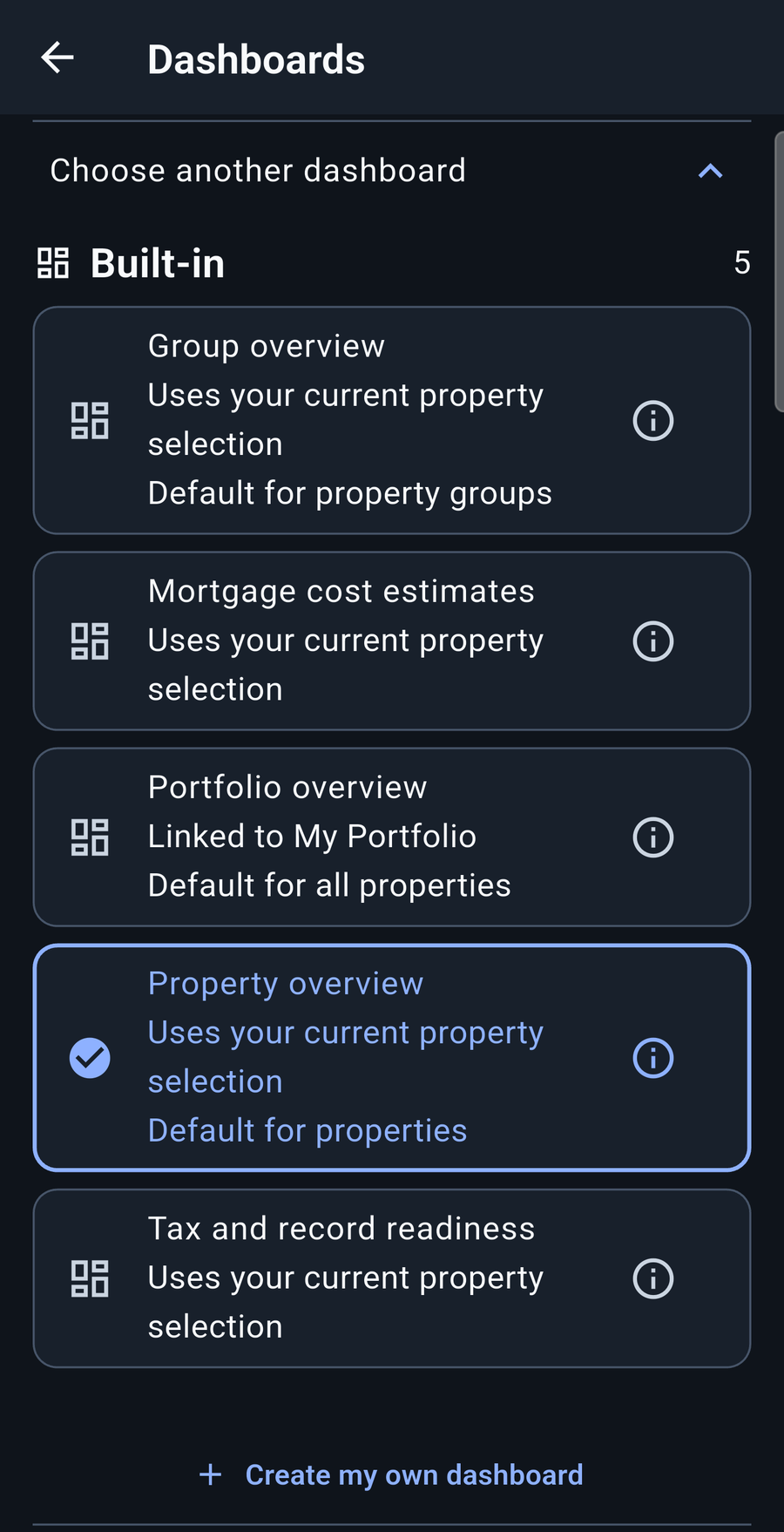
Back to feature menuChoose the available cards and charts that matter to you, arrange them, and adjust their sizes. Bring income, costs, booking activity, reimbursements, and comparisons into a view that fits the way you manage your rentals.
Move quickly from one property to a group—or all your rentals. Change the selected view without hunting through separate sets of records. See the detail of one listing, then step back to the bigger picture.
Paid a rental cost yourself? Keep track of what needs paying back, what’s been partly repaid, and what’s settled.
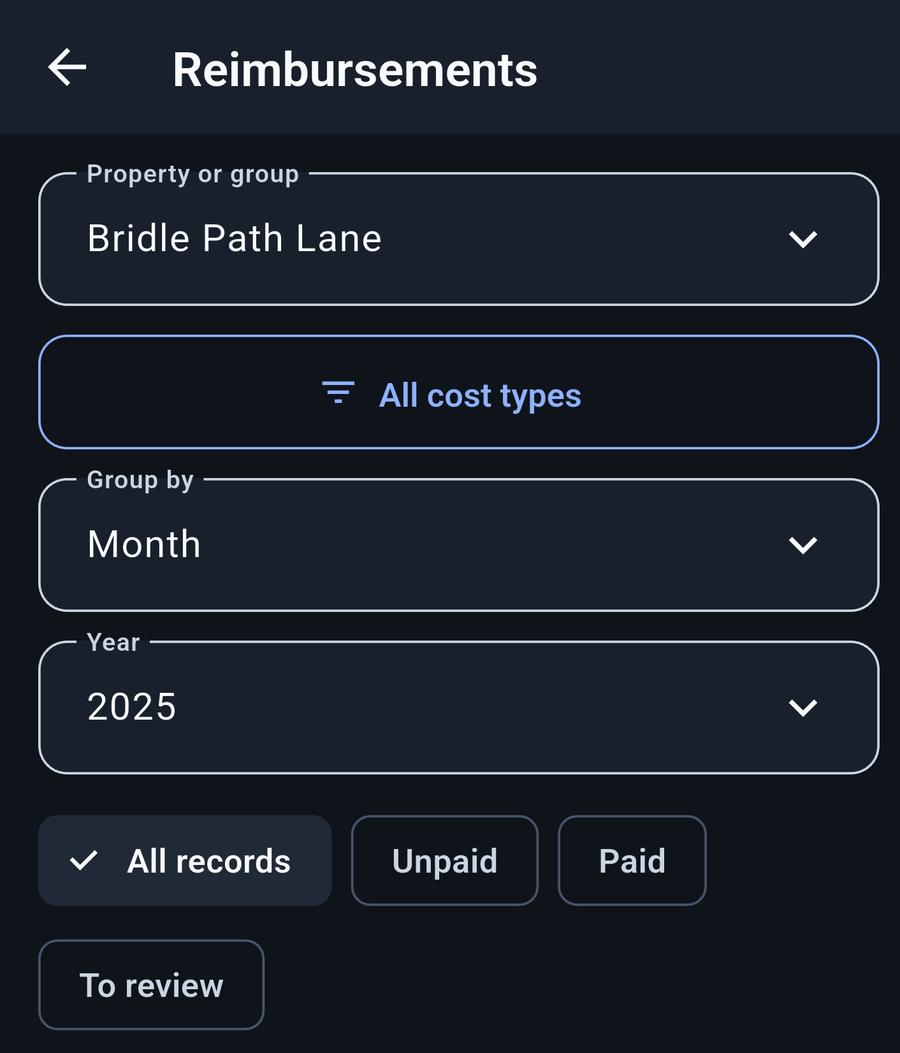
Development preview · Select image to enlarge ↗
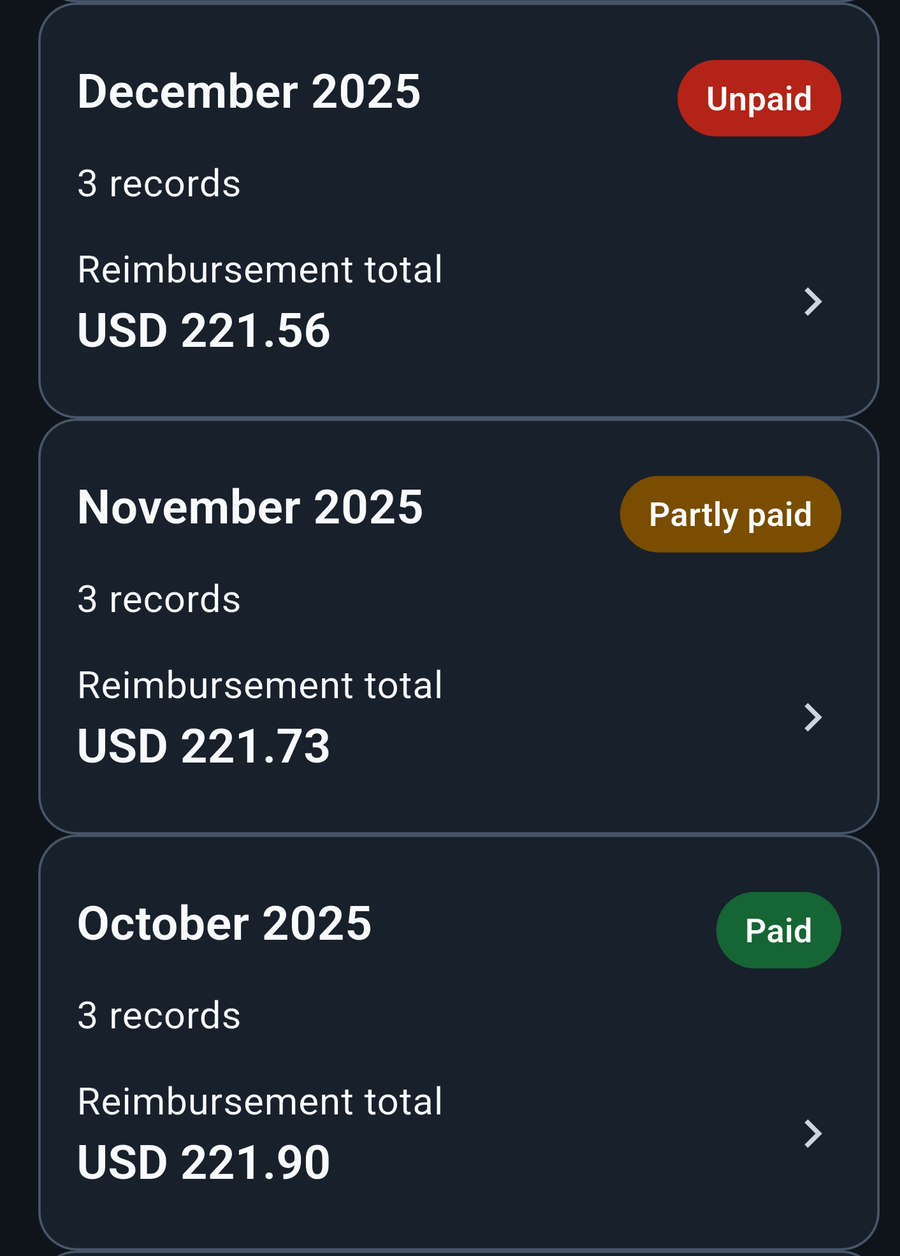
Development preview · Select image to enlarge ↗
A repayment reduces what you’re owed without creating another copy of the expense. StayTally tracks repayments; it does not transfer money between bank accounts.
Back to feature menuDifferent files for different jobs. Choose what you include and where it goes.
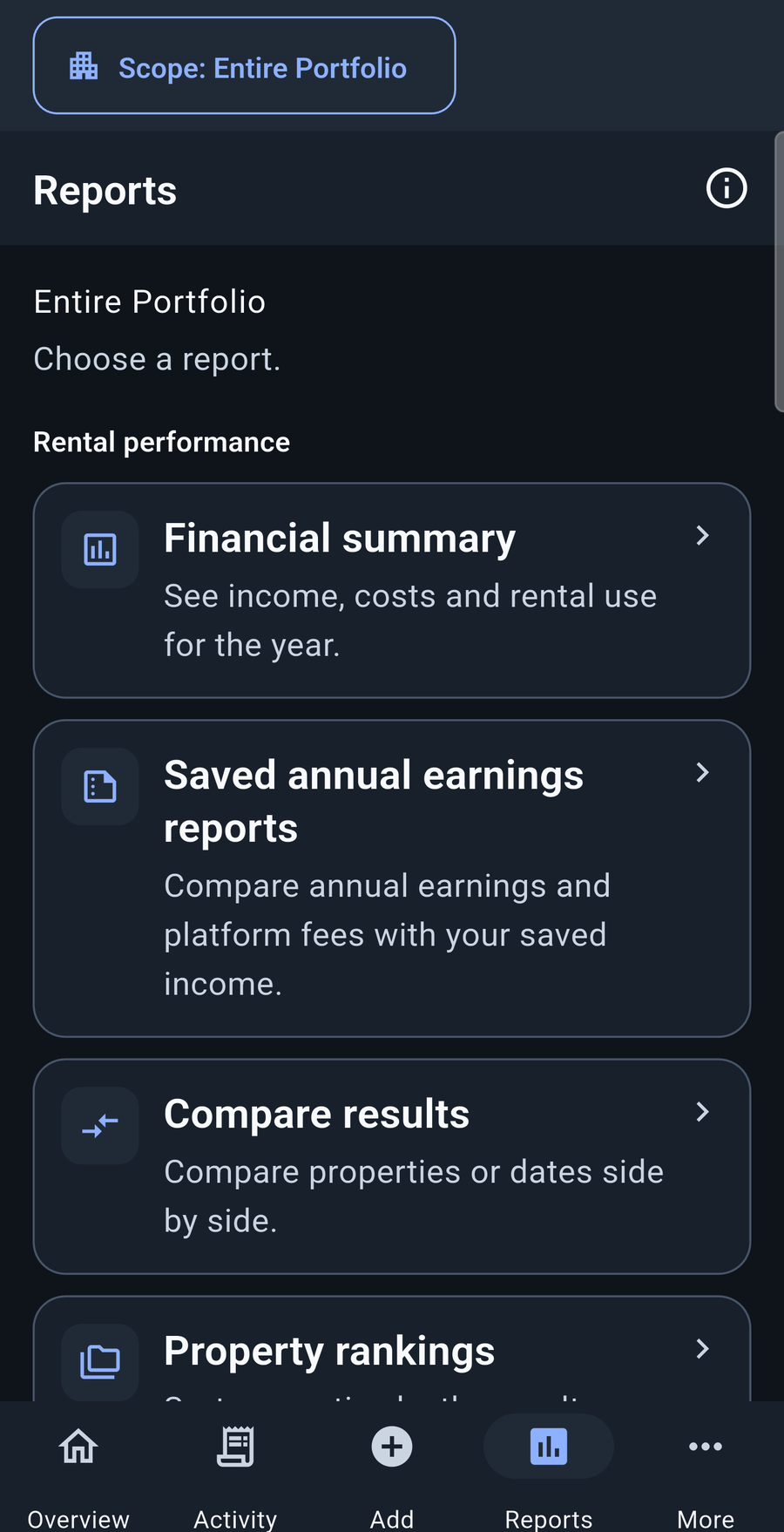
Start with the financial summary, review saved annual earnings, or compare results. The Reports area also leads to accountant preparation and the tools for saving or sharing reports.
Choose the scope and period that fit the question, then follow the supporting records when you need more detail.
Gather detailed reports and the supporting records you select into a portable package. Review a property, compare your rentals, or share the bigger picture without giving someone access to your phone.
Bring yearly totals, preparation tables, review notes, and selected supporting documents together. The browsable bundle and Excel workbook can be opened offline after the ZIP is extracted.
Create a backup to bring your app records back after a device change or data loss. Choose password protection and keep the file somewhere safe. Reports and tax bundles are not substitutes for a backup.
Tax bundles contain private financial information and are not encrypted. Share them securely. Backup password protection is optional; without it, anyone with access to the file may be able to read it. Read about backups and sharing.
Back to feature menu